 CarbSight
For people living with Type 1 Diabetes — and the people who help.
Take a photo of your plate. Get the carbs.
CarbSight looks at your meal, names each food, and gives you a carb estimate you can check and adjust before you dose. No barcodes, no searching a database.
3 free scans to start.
No subscription needed.
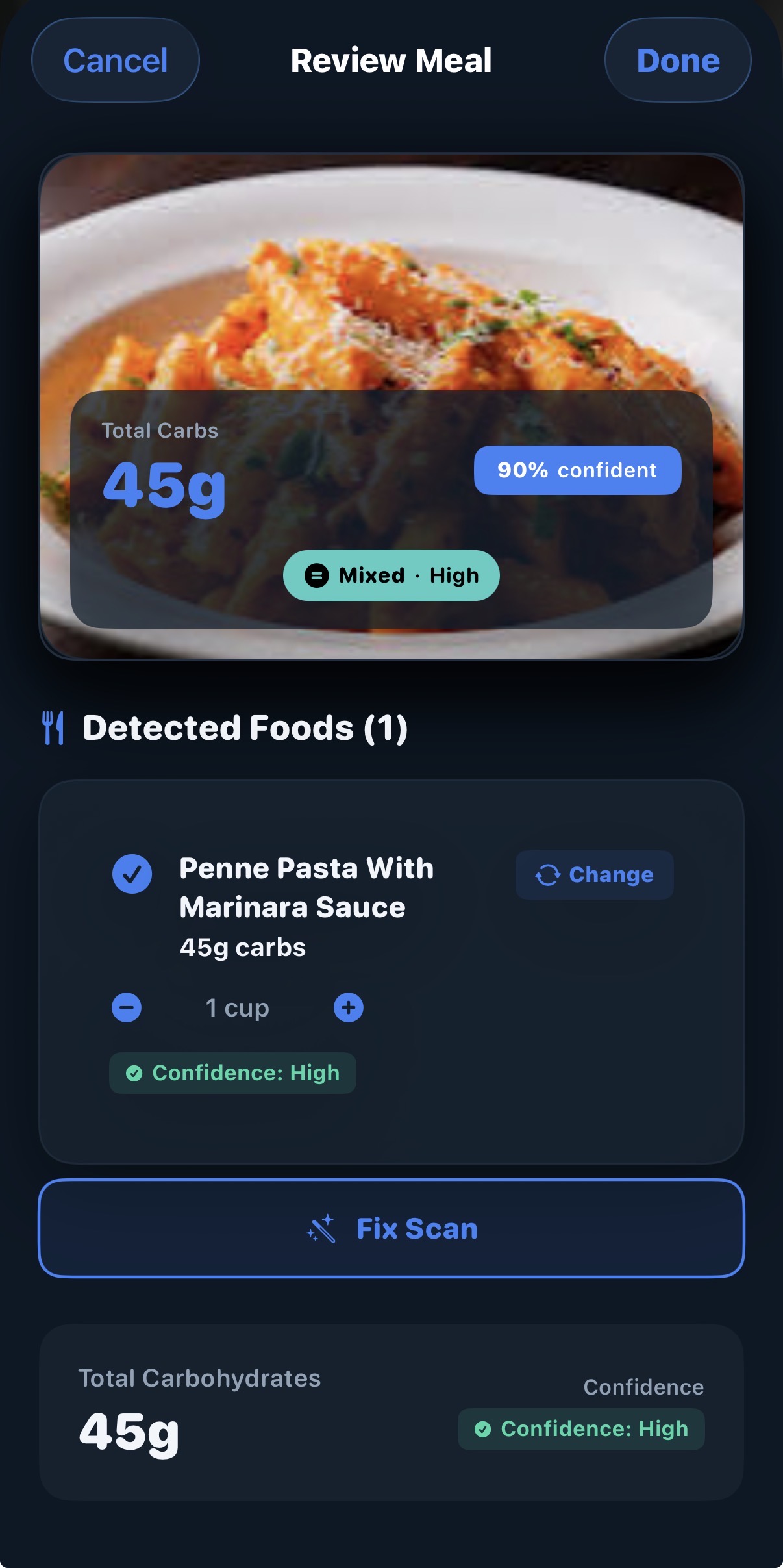 Total carbs, with a confidence score
How fast those carbs are likely to hit
Change foods or portions yourself
Total carbs, with a confidence score
How fast those carbs are likely to hit
Change foods or portions yourself
Three steps, and you stay in charge of the last one.
Take a photo
A full dinner plate, a bowl of cereal, a slice of birthday cake. Home cooking and restaurant food both work.
See the breakdown
Each food it spots gets its own carb estimate and portion size, plus a total for the meal.
Check it, then save
Swap a food, adjust a portion, or tap Fix Scan if something's off. Nothing is saved until you say it looks right.
Not just how many carbs. How they're likely to land.
Forty-five grams of juice and forty-five grams of pizza don't behave the same way. With CarbSight Pro, every scan comes with an absorption pattern, based on things like fat, protein, fiber and how refined the carbs are.
Fast-Acting
Quick rise, quick fall. Think juice, white bread, candy.
Mixed
A moderate curve. Most balanced plates fall here.
Slow / Extended
A long, gentle rise. Common with high-fat or high-fiber meals.
Split Likely
An early bump and a later one, like with pizza or pasta in cream sauce.
Absorption patterns are educational estimates, not dosing instructions. The curves above are illustrations.
Made for the meal after this one, too.
Meal history
Every meal you save is logged with its photo and carb count, so you can look back at what you ate and how you estimated it.
You have the final say
The AI gives you a starting point. Change any food, portion, or total before it goes in your log.
Honest about uncertainty
Every food and every meal shows a confidence level, so you know when it's worth a second look.
Your data stays yours
Secured with industry-standard encryption. Delete your account and everything in it from Settings, any time.
A second set of eyes, wherever lunch happens.
Kids don't stop eating when they leave the house. With Guardian Review, they can send a meal to a parent or caregiver, who gets a notification right away and can approve the estimate or correct it.
It's a safety net while kids are learning to count carbs themselves. Guardian Review is part of CarbSight Pro.
Try it on three meals before you pay anything.
Everyone starts with 3 free scans. You don't need an account or a subscription, and a scan only counts if it works. Use them on the meals you find hardest to count. If CarbSight helps, subscribe in the app. If not, you haven't spent a cent.
CarbSight gives estimates to help with carb counting. It isn't a medical device and doesn't replace advice from your diabetes care team. Always use your own judgment when dosing insulin.